
Desk Knob
A small rotary display on my desk that controls my Mac mini: volume, mute, the mic, audio output, and whatever is playing. It's an ESP32-S3 rotary knob with a round 2.1-inch touchscreen, the Elecrow CrowPanel, running ESPHome, and it reaches the Mac through Home Assistant.
October 2026
Why I Built This
I wanted a real knob for volume, and a mute button for the mic that I could hit without finding the right window first. The firmware started life as my turntable knob, a Sonos controller on the same hardware, and I rebuilt the screens around the Mac.
How It Reaches the Mac
The knob only ever talks to Home Assistant. On the Mac, a Hammerspoon script does the rest. It runs a small local server that Home Assistant calls to change things, and whenever the volume, mute, output device, mic, or playing track changes, it posts the new state back to Home Assistant, which the knob subscribes to.
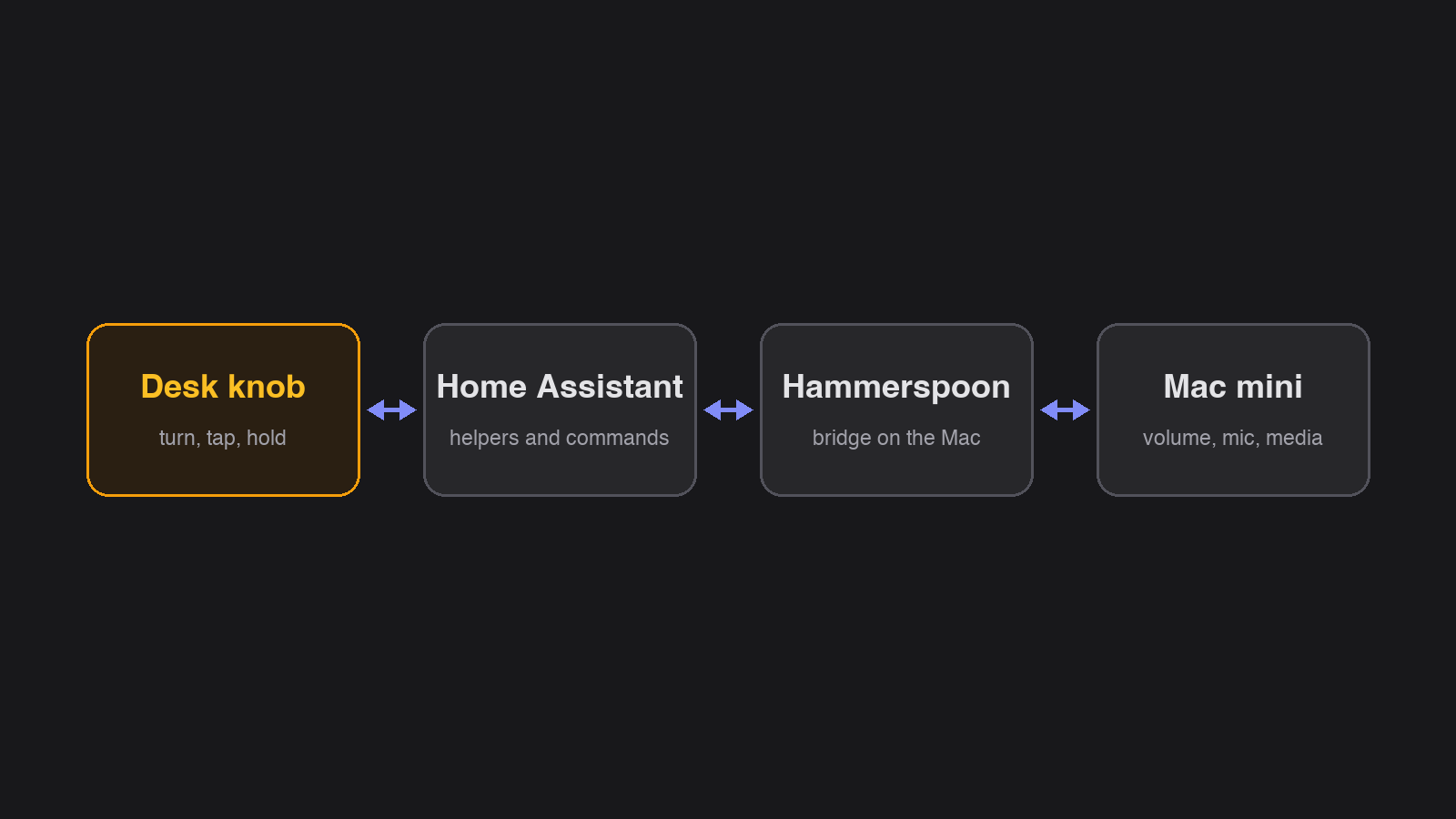
Going through Home Assistant means the knob needs no software of its own on the Mac beyond that one script, and the Mac's audio state is available to the rest of the house too.
Pages and Gestures
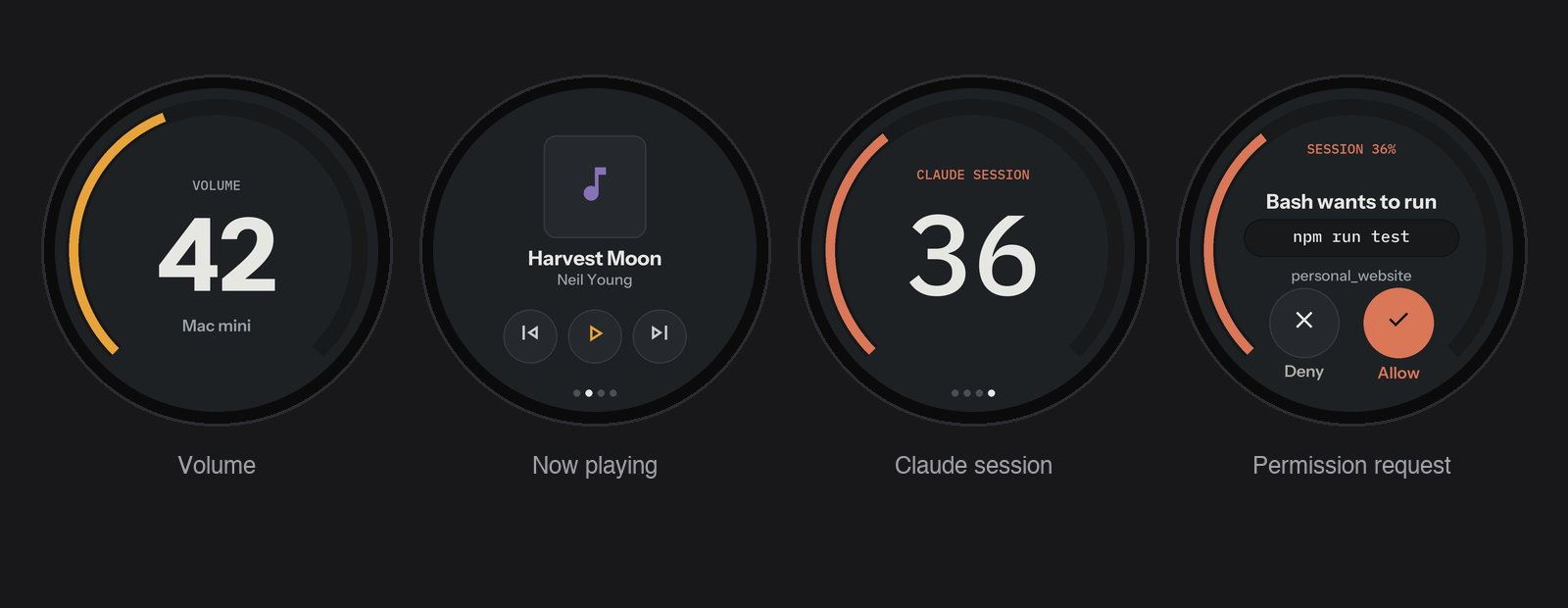
Turning the dial changes the volume, and so does dragging the arc on the screen. A tap in the centre mutes, and a hold plays or pauses. A piezo gives a small tock on each step of the dial.
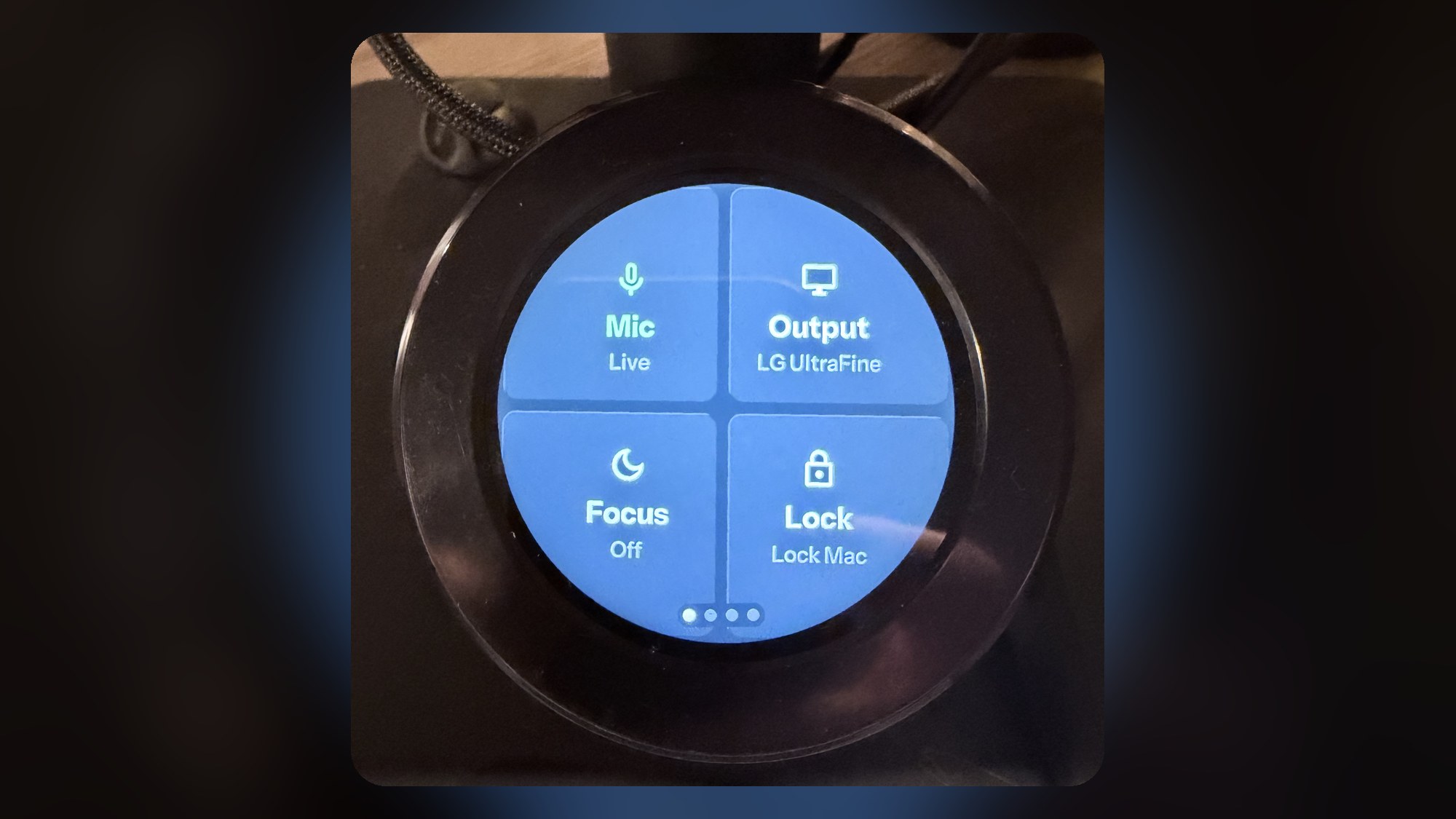
Swiping moves between pages. Desk is home, with tiles for the mic, the audio output, Focus, and locking the Mac. Now playing shows the track and its cover, which Hammerspoon serves already shrunk to fit. Clock is a clock. When the Mac is asleep, the knob says so.
The Mic Tile
Muting the mic at the system level isn't enough on a call, because the meeting app still shows you as unmuted. So the Mic tile also presses the app's own mute shortcut in Teams, Zoom, or Meet. Each app only takes its shortcut when it's in front, so the script brings it forward for a moment and hands focus back. If focus moves before the keystroke goes out, the keystroke is dropped rather than sent to the wrong window.
Some mics, my webcam among them, have no mute control at all. For those, muted means the input level is set to zero.
The Claude Page
A fourth page is for Claude Code. It shows how much of the current session's usage is gone and when it resets. When Claude Code asks for permission to run something, the request shows up on the knob with what it wants to do, and I can allow or deny it from there. Those routes need a secret token, so nothing else on the network can answer for me.
Small Details
The printed stand holds the knob about 2.5 degrees askew, so there's a one-time tilt setting that rotates the picture to match. Text is about one and a half times the size of the first version, for reading at arm's length. Amber means volume and playback, purple means output and Do Not Disturb, and soft red means the mic is muted.
Key Features
| Feature | Description |
|---|---|
| Volume | Turn the dial or drag the arc. Tap the centre to mute. |
| Mic mute | Mutes the mic and presses mute in Teams, Zoom, or Meet. |
| Output picker | Switch the Mac's audio output from the knob. |
| Now playing | Track, artist, and cover, with track buttons. |
| Focus and lock | Tiles to turn on a work Focus and to lock the Mac. |
| Claude page | Session usage, and allow or deny for permission requests. |
| Screen tilt | A calibration setting for a stand that sits slightly askew. |