Hootenanny
A small web app for sending event invitations, loosely inspired by Apple Invites. You make the invite, send the link, and see who's coming. Guests reply from whatever phone they happen to have.
May 2026
Why I Built This
Apple Invites looks great, but everyone you invite needs an iPhone. I was putting together something for my daughter's dance recital and half the family is on Android, so that ruled it out immediately. The other options I tried were buried in ads, or wanted guests to make an account before they could say “yes, I'll be there.”
So I built the smaller, friendlier version I wanted. Open the link, tap a button, done.
How It Works
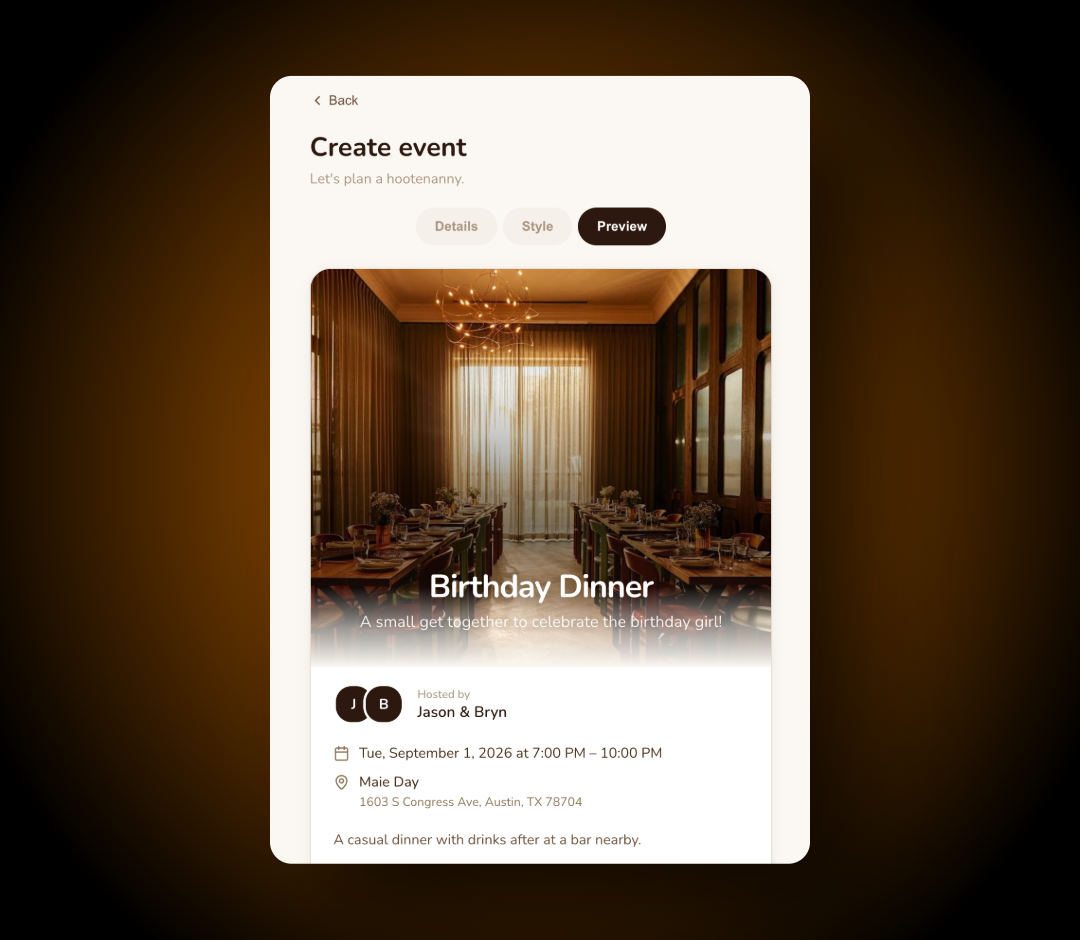
Setting up an event takes about a minute. I sign in with a PIN, pick a cover photo, and fill in the date, venue, and a short description. The invite previews as I type, so I can see exactly what guests will see.
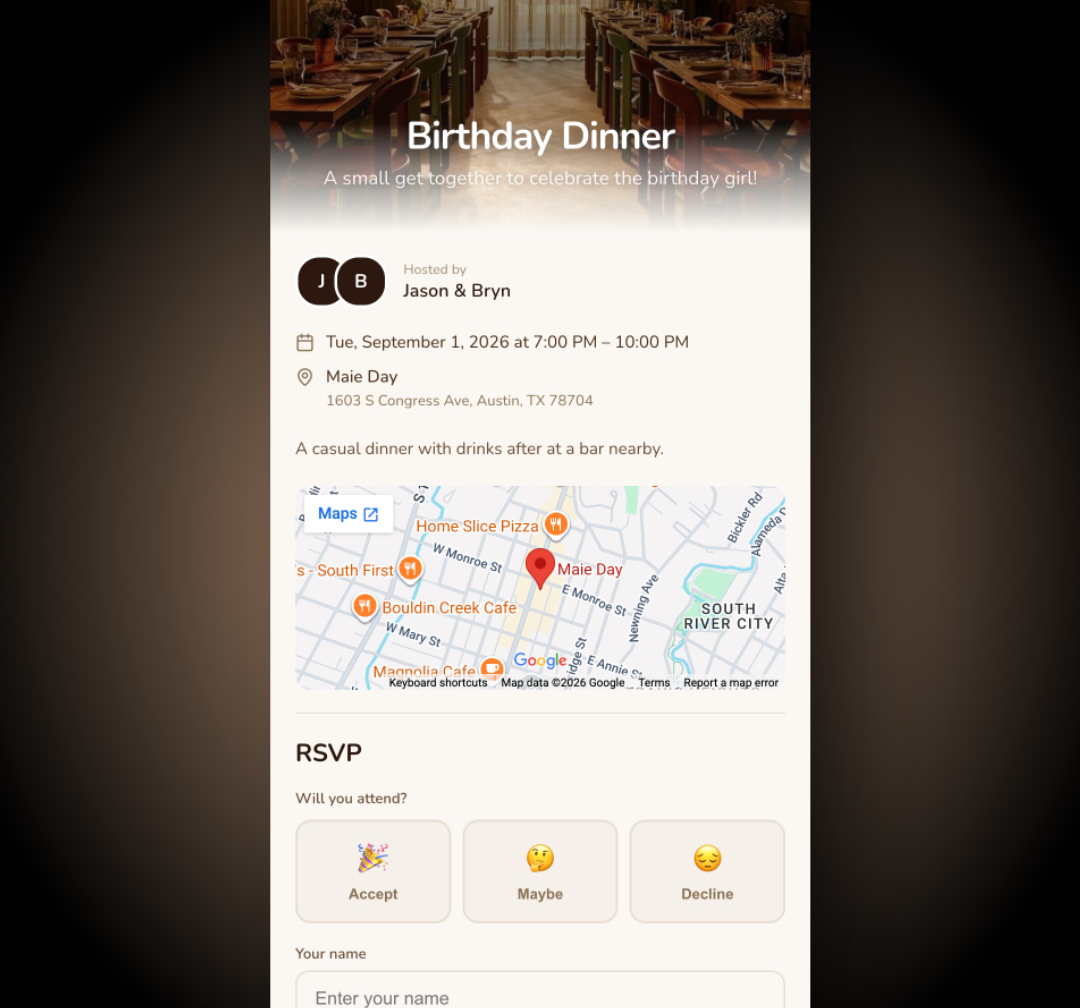
Once it's ready I get two links. One collects RSVPs, for the people I actually need a headcount from. The other just shows the details, which is handy for the group chat where nobody needs to formally reply. Either link opens on any device, and guests respond with their name and how many people they're bringing.
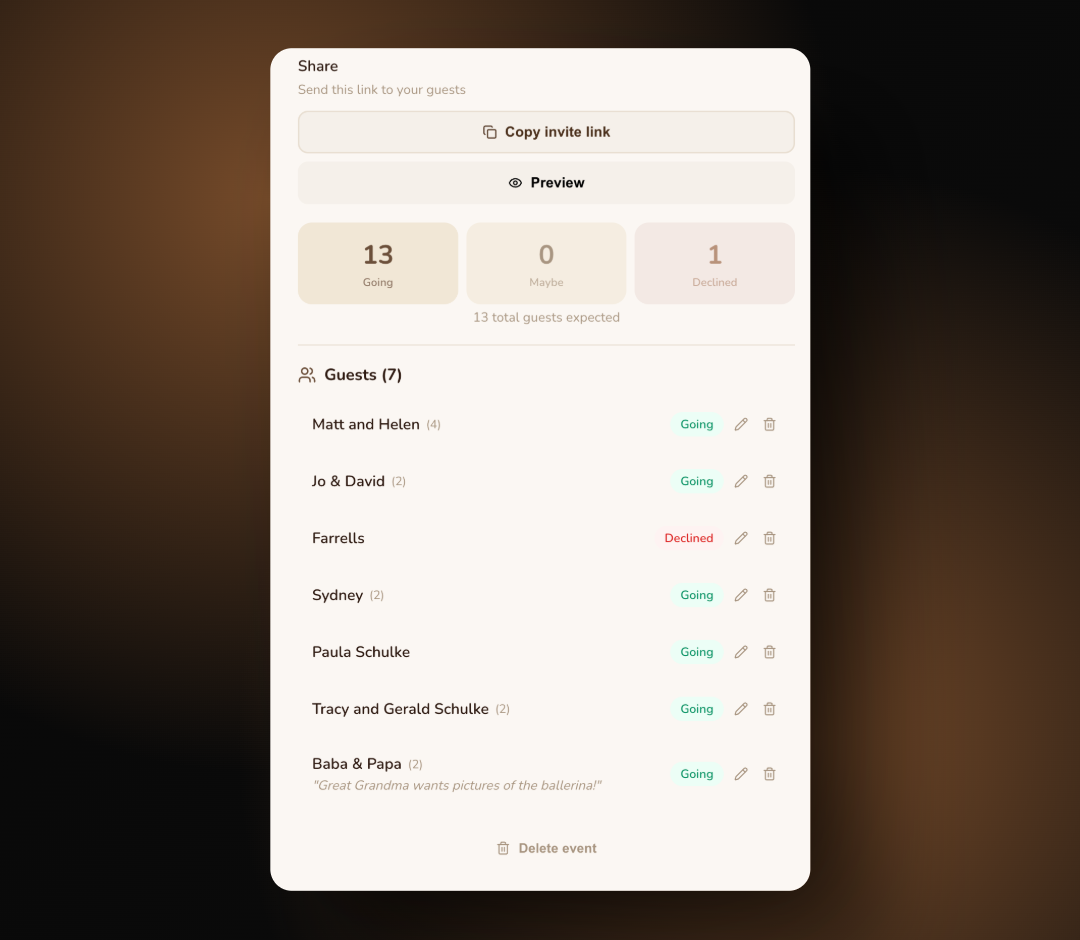
Responses land on a host dashboard. I can see who's in, who's still deciding, and who can't make it, plus party sizes and whatever notes people leave behind.
Features
| Feature | Description |
|---|---|
| No-account RSVPs | Guests tap the link and reply. There's nothing to sign up for or install. |
| Two link types | One link collects RSVPs. The other just shows the details, for when you don't need a headcount. |
| Cover photo editor | Upload any photo and drag or zoom it into place right in the browser. The overlay keeps the text readable no matter what's underneath. |
| Live guest list | Who's coming, how many they're bringing, and any notes they left. Edit or remove entries when plans change. |
| Map embed | Add a venue address and it pulls in a Google Map that opens with one tap. |
| Installable PWA | Add it to your home screen and it behaves like a regular app, offline included. |
| Rich link previews | Paste the link into iMessage or Slack and it unfurls with the cover photo and event title, handled by Netlify edge functions. |
Design
The name came first. A hootenanny is an old word for an informal get-together, and once I had it, the owl was pretty much unavoidable. Everything else followed from there. The palette is all browns, creams, and tans, which felt right for something closer to a handwritten note than a dashboard. The wordmark is set in Lily Script One and the body text is Nunito. There are owl puns hiding in the empty states if you go looking.