
Max
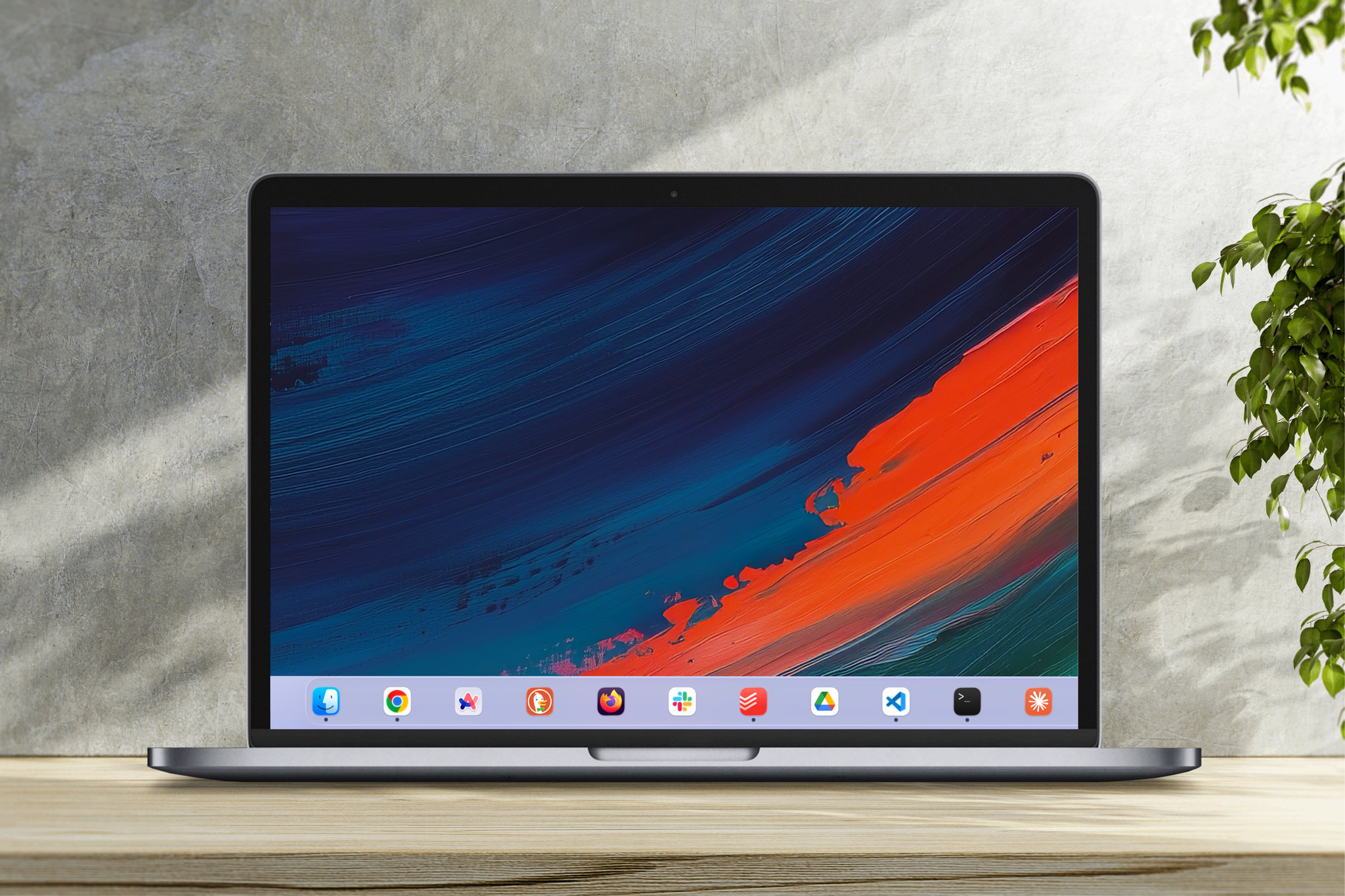
A lightweight menu bar application for macOS that overlays customizable visual effects on the Dock region, providing full control over colors, materials, and visual effects.
March 2026
The Problem
macOS gives you limited control over your Dock's appearance. While you can change its size and position, customizing the background, materials, or visual effects requires hacks or workarounds. I wanted a simple full-width effect with minimal implementation—a clean, native way to personalize my Dock without sacrificing system stability or performance.
The Solution
Max sits in your menu bar and overlays a customizable visual layer on top of your Dock. It uses native macOS visual effect materials and blending modes to create seamless, performant customizations. Configure it once, and it adapts automatically to screen changes, spaces, and multi-display setups.
Key Features
| Feature | Description |
|---|---|
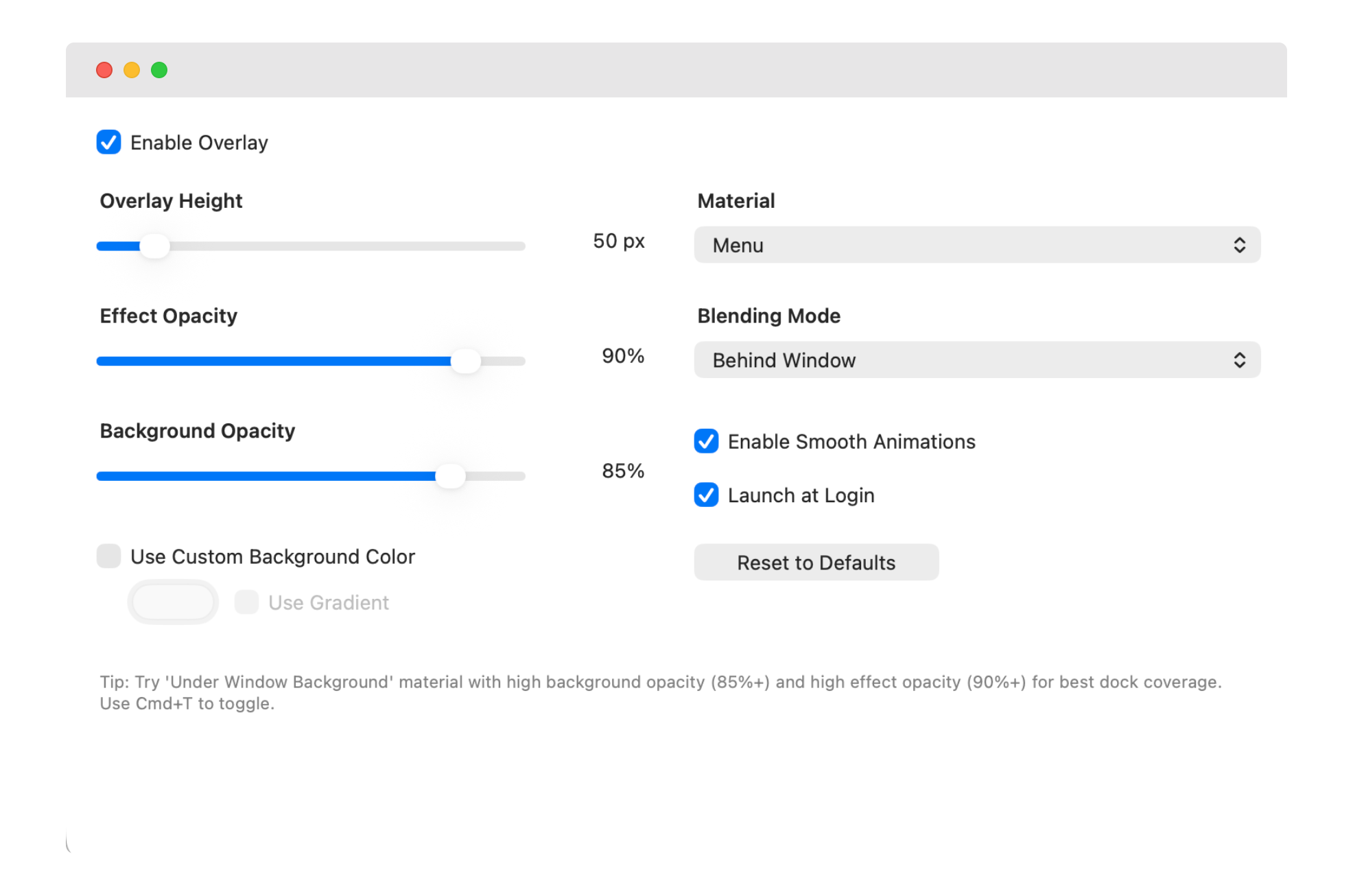
| Visual Customization | Adjustable overlay height (20-300px), custom colors, vertical gradients, and 10 macOS visual effect materials to choose from. |
| Blending Modes | Choose between Behind Window or Within Window blending with separate opacity controls for effect and background layers. |
| Menu Bar Integration | Quick toggle and settings access right from your menu bar. Launch at Login support for macOS 13+. |
| Multi-Display Support | Automatically adapts to screen changes and works seamlessly across multiple displays and Universal Spaces. |
| Live Preview | See changes in real-time as you adjust settings. Smooth animated transitions between configurations. |
| Non-Intrusive Design | Overlay ignores mouse events so you can interact with your Dock normally. |
@max_settings
Architecture
Max uses a modern reactive architecture built with Swift and Combine, following a clear separation of concerns:
Services (state management) → Windows (UI rendering) →
Managers (system integration) → Models (data structures)- •Reactive state management through ConfigurationService
- •Memory-safe Combine subscriptions with weak references
- •Debounced auto-save (100ms) to prevent excessive disk writes
- •NSScreen.main.visibleFrame calculations for precise Dock positioning
Tech Stack
Recommended Settings
- Material:Under Window Background
- Background Opacity:85-95%
- Effect Opacity:90-100%
- Height:Adjust to match Dock size