
Presto Panel
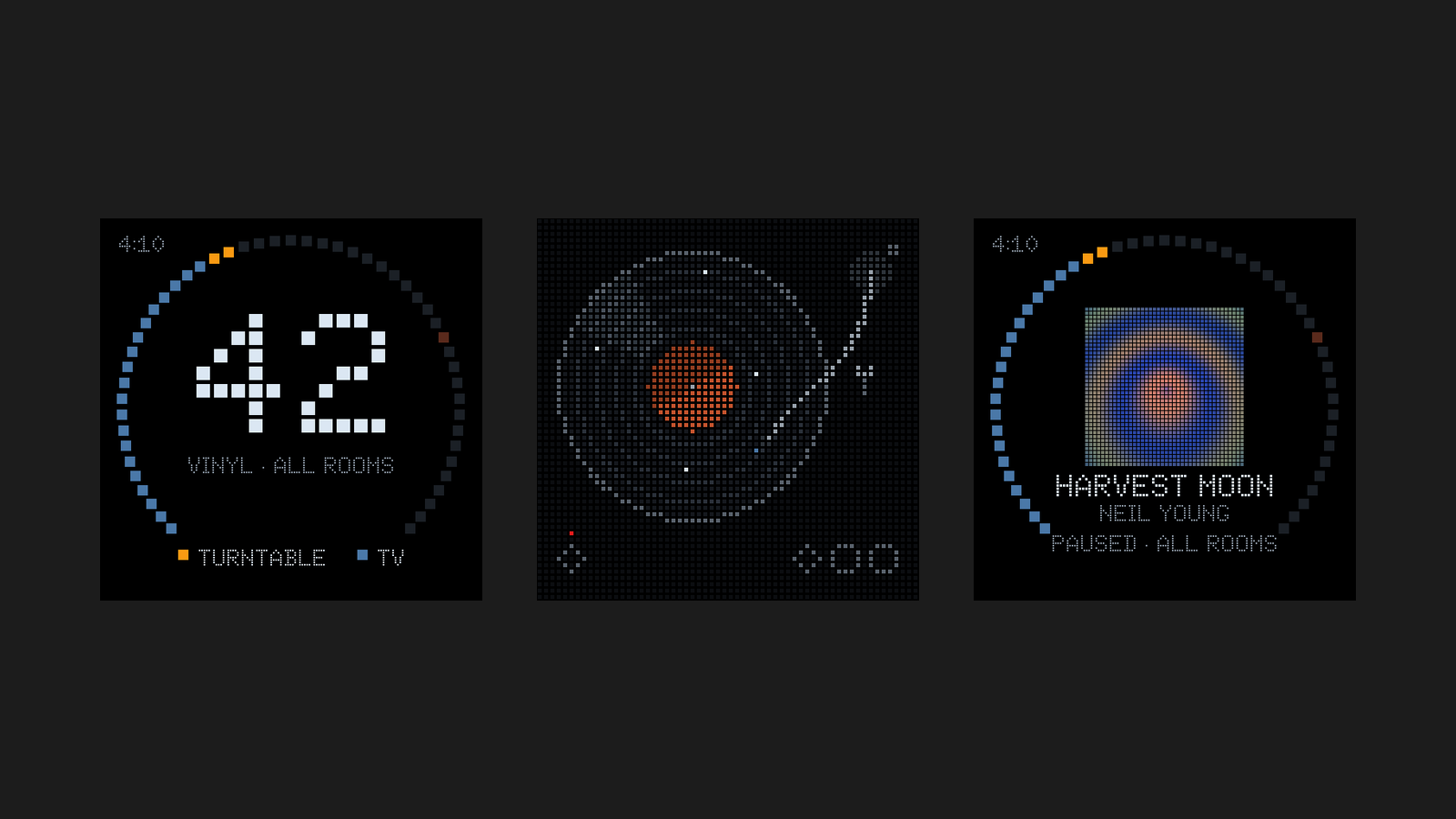
A small touchscreen that controls the Sonos speakers my turntable plays through. It runs on a Pimoroni Presto, talks to Home Assistant, and draws everything in dots: the clock, the volume ring, the album art, and a spinning record.
October 2026
Why I Built This
The first version of this was a rotary knob: an Elecrow CrowPanel running ESPHome that controlled the turntable's speaker and the TV speakers as one group. It worked well enough that I wanted a bigger one. The Presto is a 4-inch, 480 by 480 touchscreen on an RP2350, so I ported the same screens to it, with touch in place of the dial.
The port is MicroPython, not ESPHome. It uses the same Home Assistant scripts and helpers as the knob, so the two stay in step.
How It Works
At rest it shows a clock. A tap joins all the rooms and starts playing. While music plays, a tap mutes, and dragging along the ring sets the volume, one dot for every 2%, capped at 75 so nobody can blast the house. After a few seconds without a touch it rests on the record, or on the album art when something is streaming.
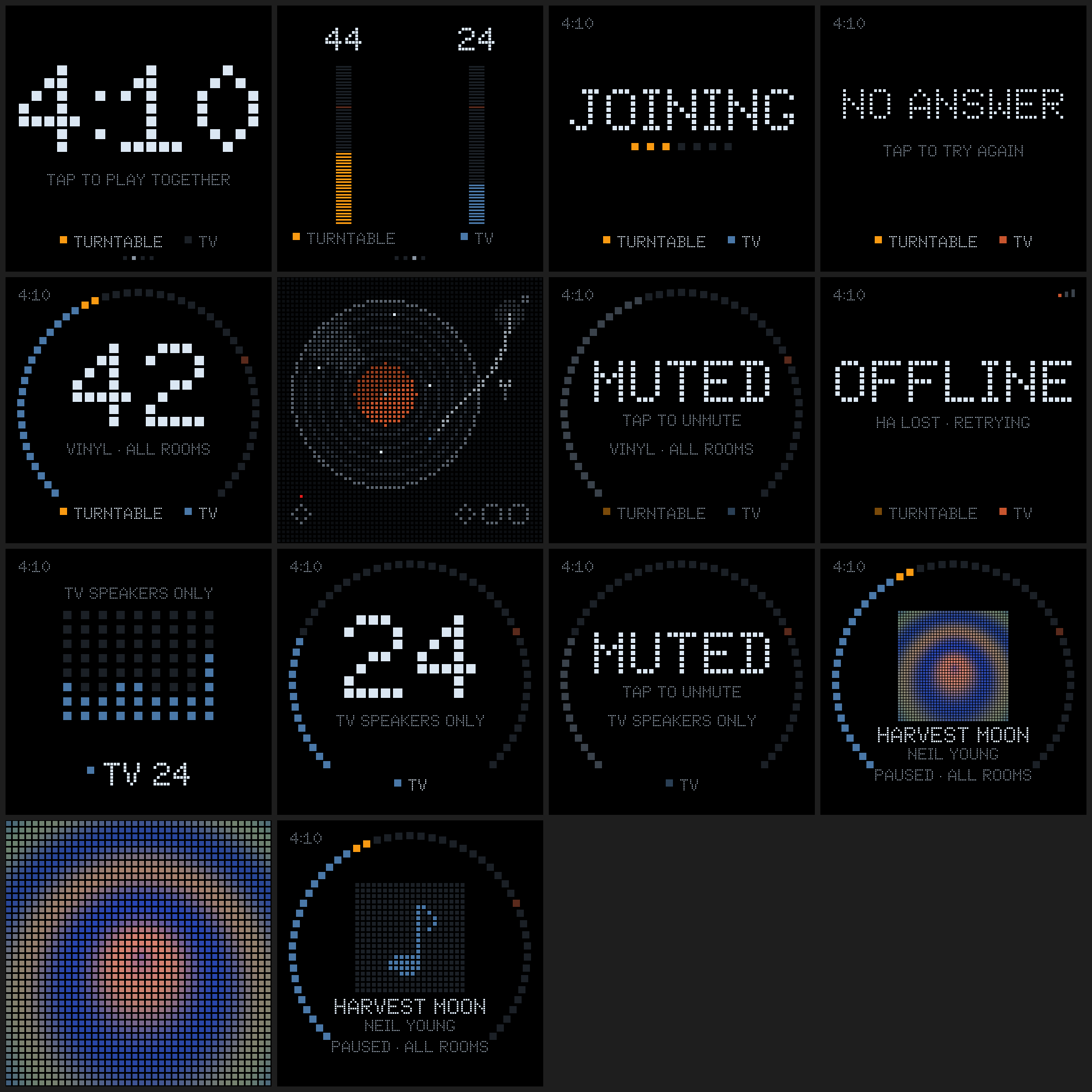
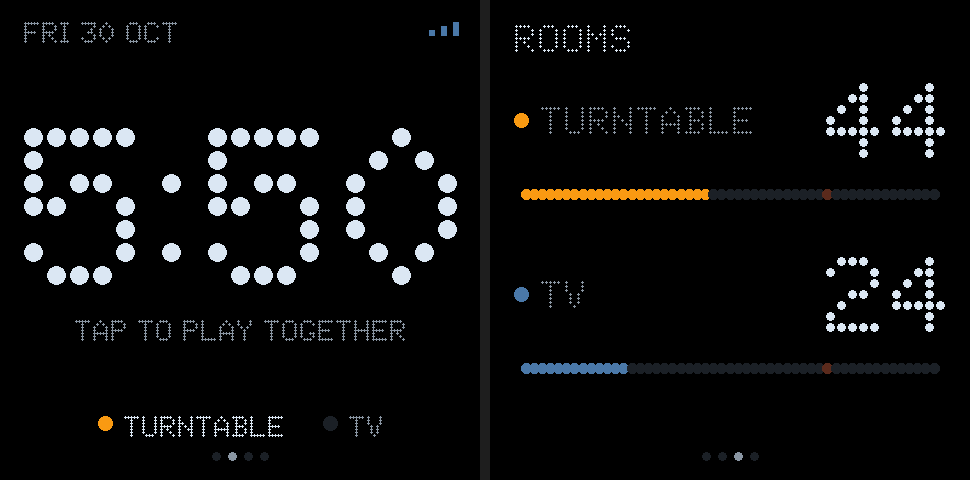
Swiping moves between three pages. Rooms has a bar for each room, to set one room's volume without touching the group. Settings shows the Wi-Fi signal, the Home Assistant link, and uptime, and holds the update button.
Drawing in Dots
Everything on screen is made of dots. The type is Doto, a dot-matrix font, converted ahead of time into grids the firmware can stamp out. Album art is downloaded, decoded, and reduced to a 40 by 40 grid of dots. The record is drawn the same way and turns at 15 frames a second.
The LEDs on the back follow the colour of the ring, and a piezo ticks once per dot while dragging, which makes the touchscreen feel a little like the knob it replaced.
Updating Over Wi-Fi
The Presto can live anywhere in the house, so it updates itself over Wi-Fi. A publish script copies the firmware to Home Assistant, and tapping Update on the Settings page compares every file against a manifest.
The catch is that the flash can't be written while the display is running, because the flash and the frame buffer share a bus. So the app only asks for an update, then restarts into a quiet updater that runs before the display starts. The screen stays dark for about 15 seconds while the files are written. If anything fails, the old files stay in place and it boots normally.
A simulator renders every screen to a PNG on my Mac with a fake display, which is how I check a layout change without flashing the board. The images on this page come from it.
Key Features
| Feature | Description |
|---|---|
| Touch control | Tap to join, mute, or wake. Drag the ring for volume. Hold for play and pause on the TV screens. |
| Volume cap | The ring never goes past 75. |
| Rooms | A bar for each room, to set one without changing the group. |
| Album art | The cover, reduced to a 40 by 40 grid of dots. |
| Record view | A spinning record drawn in dots when vinyl is playing. |
| Over-the-air updates | From Home Assistant, with a safe fallback if an update fails. |
| Simulator | Renders every screen to PNG on a Mac. |
| Offline states | Clear screens for no answer and a lost connection, with a tap to retry. |