
Queen's Quest
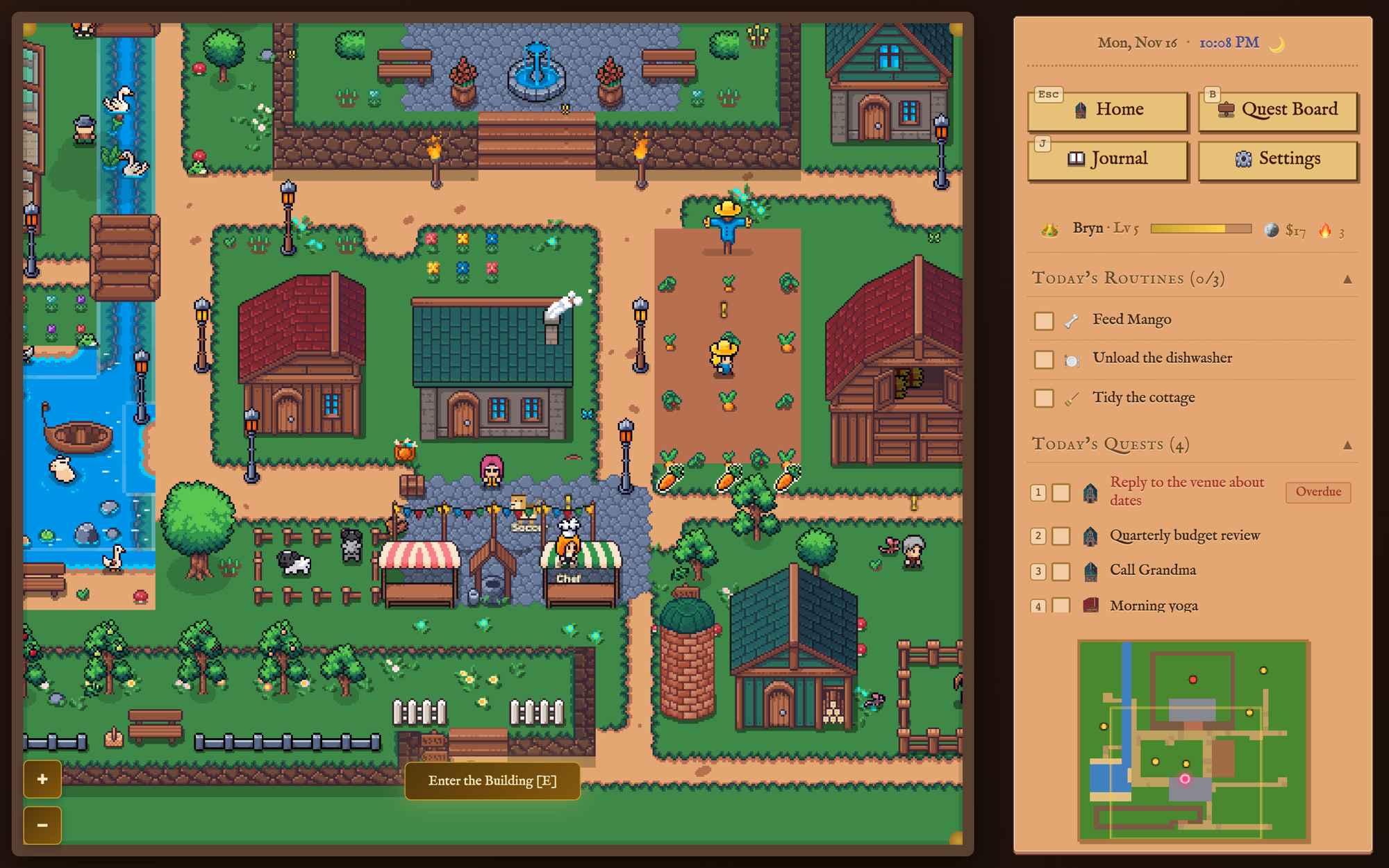
A task planner dressed as a cozy top-down RPG. Real-life tasks are quests, sub-tasks are chapters, and each area of life is a realm in a small pixel-art kingdom you can walk around. Finishing a quest pays out in the kingdom's own currency. I built it for one person, Bryn, and it runs as a private web app on her laptop and phone.
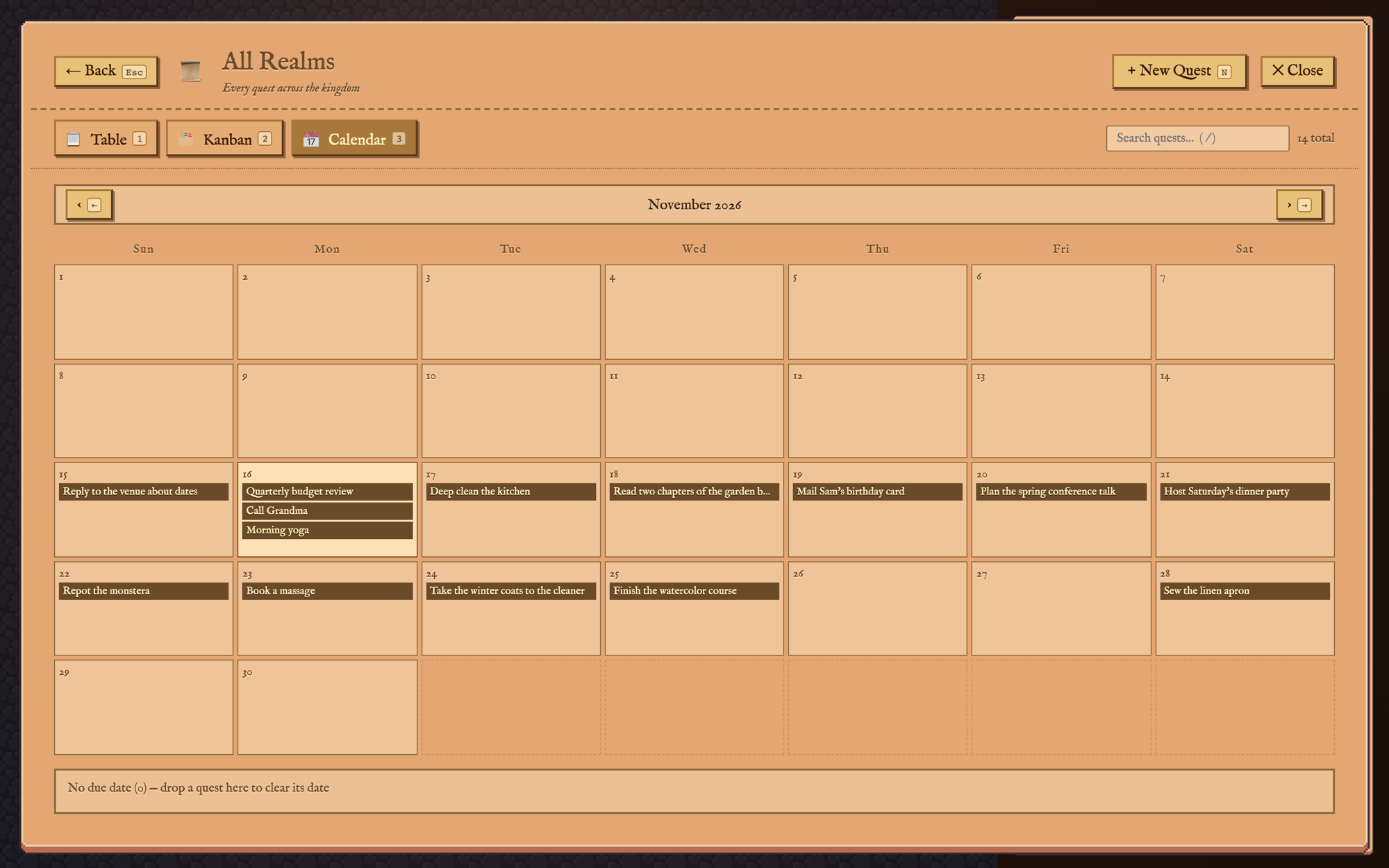
November 2026
Why I Built This
Bryn already ran her tasks out of an Airtable base called Task Bear. Each task had an effort tier, and each tier was worth a dollar amount she paid herself for finishing it. The system worked, but using it meant opening a spreadsheet. She likes cozy games, the kind with a village, a farm, and neighbors to talk to, so I wanted to see if her task list could live in one.
The rule I held to was that the planner had to be a good planner first. Every quest can be added, edited, and finished from the keyboard without taking a step in the world. The kingdom is there for the rest of the time: a place to wander between tasks, with her day's list always in the sidebar.
The Quest Board
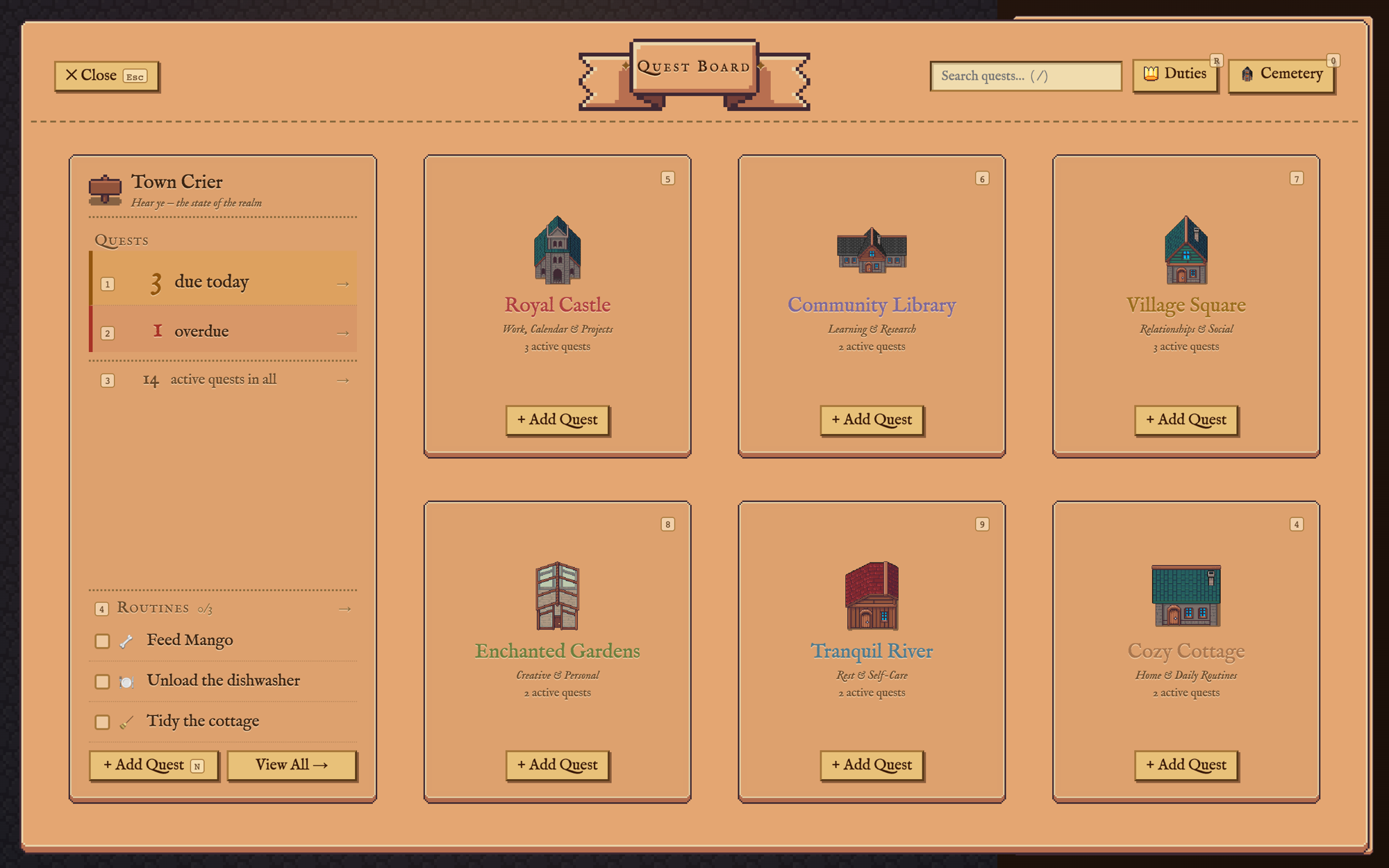
The board sorts quests into six realms, one for each part of life: the Royal Castle for work, the Community Library for learning, the Village Square for friends and family, the Enchanted Gardens for creative projects, the Tranquil River for rest, and the Cozy Cottage for home. The Town Crier on the left counts what's due today and what's overdue, and lists the daily routines.
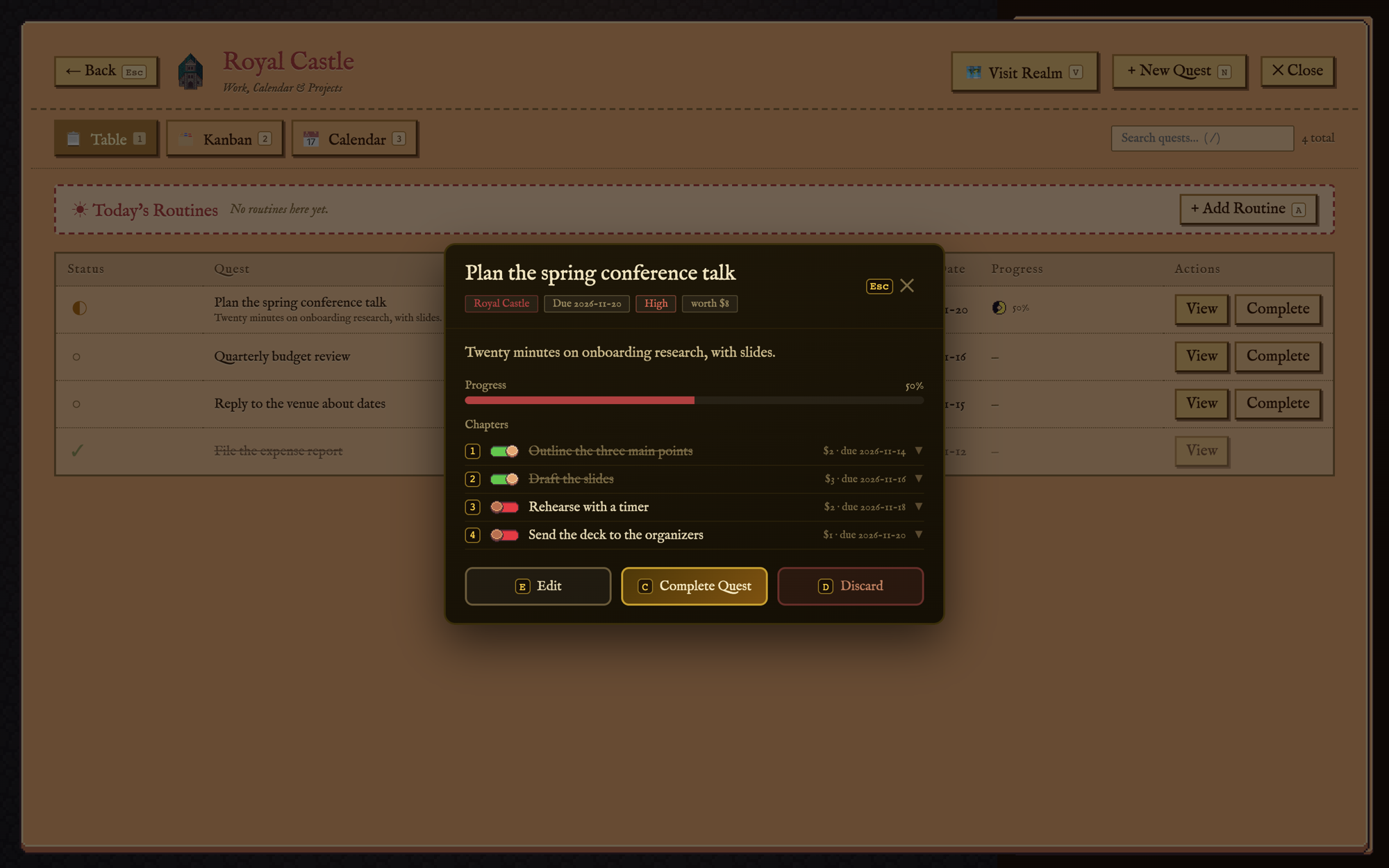
A quest can be split into chapters, each with its own effort, due date, and notes. Ticking a chapter pays for that chapter and moves the quest's progress bar. Every button shows its key, so a quest can be opened, ticked off, and closed without the mouse.
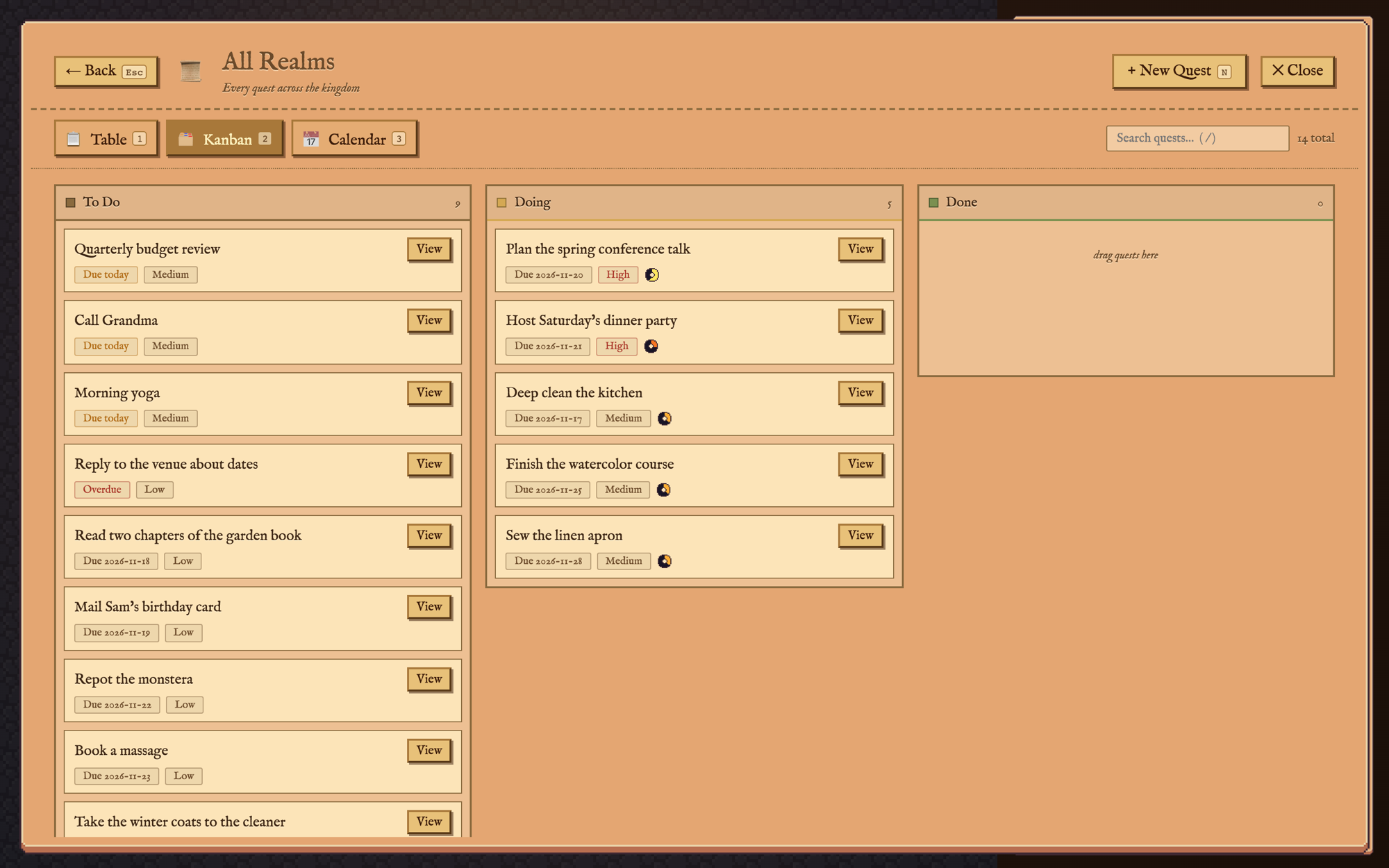
Each realm, and the All Realms view across them, can be read as a table, a kanban board, or a calendar. Dragging a quest between columns changes its status, and dragging it to another day changes its due date.
Bryn Bucks
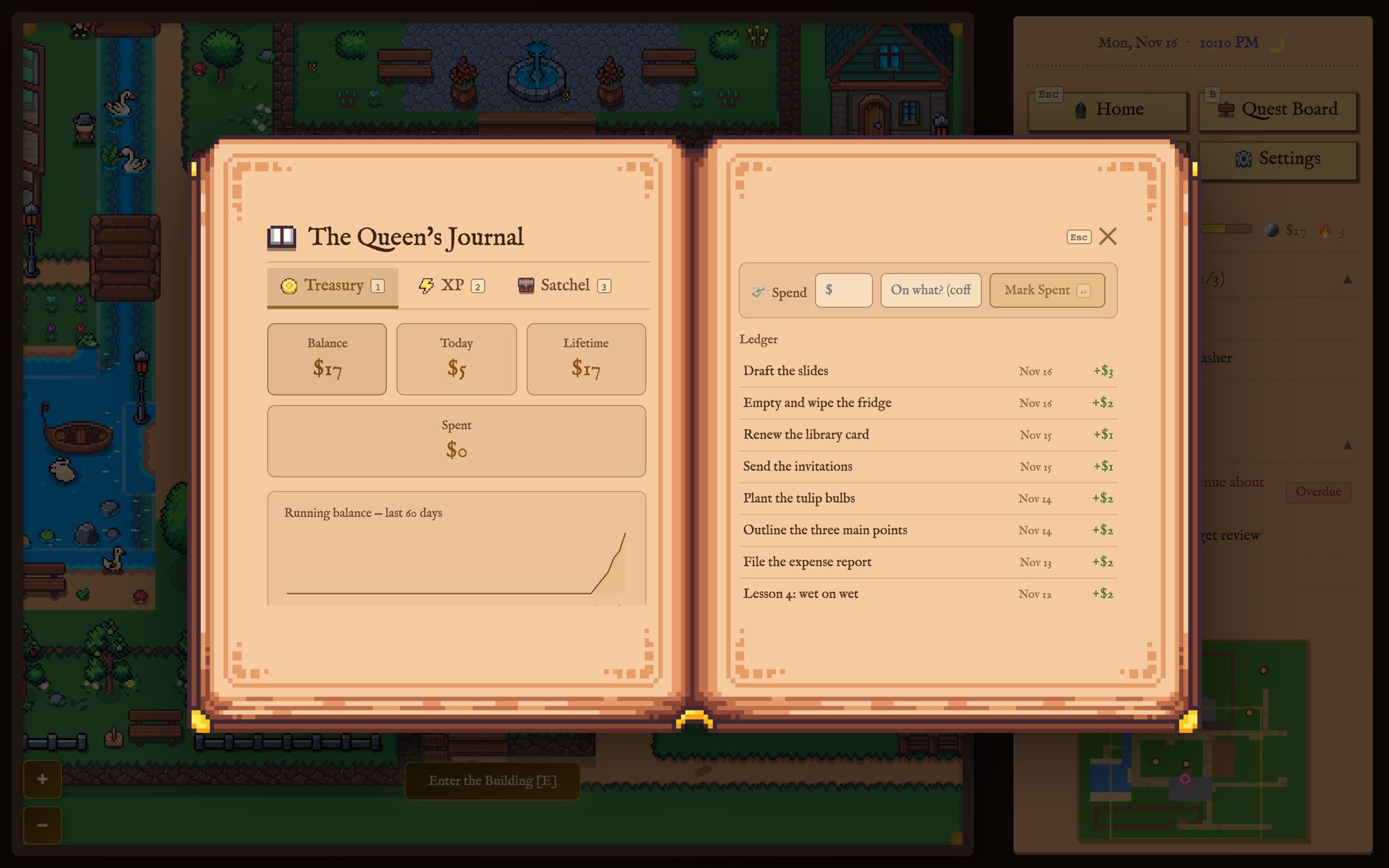
The economy came straight from Task Bear. Every quest or chapter has one of five effort tiers, from Errand (under an hour, $1) up to Dragon Slaying (six to eight hours, $5). Finishing it adds that amount to the treasury, and restoring a finished quest takes the money back, so there's nothing to gain by completing the same quest twice. The Queen's Journal keeps the ledger: the balance, today's earnings, a running chart, and a line for marking money as spent.
The Kingdom
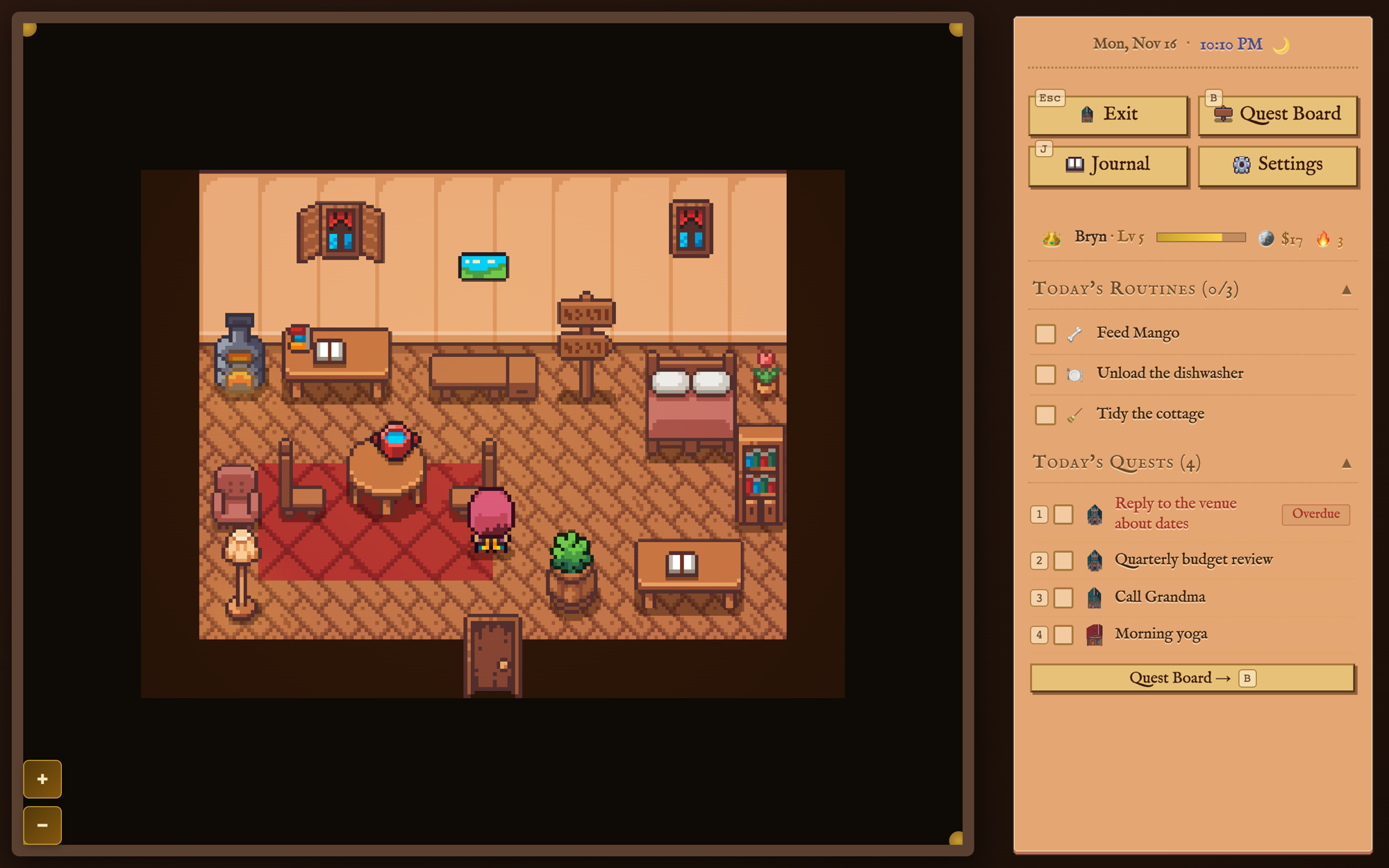
Each realm on the board is also a place on the map. The queen walks between them, and every building has an interior. Along the way she can talk to the townsfolk, fish, catch bugs, gather, and plant carrots that grow over real days. Townsfolk hand out small quests of their own, and skills level up with use. The daily routines count too: ticking off “Unload the dishwasher” earns Homekeeping experience.
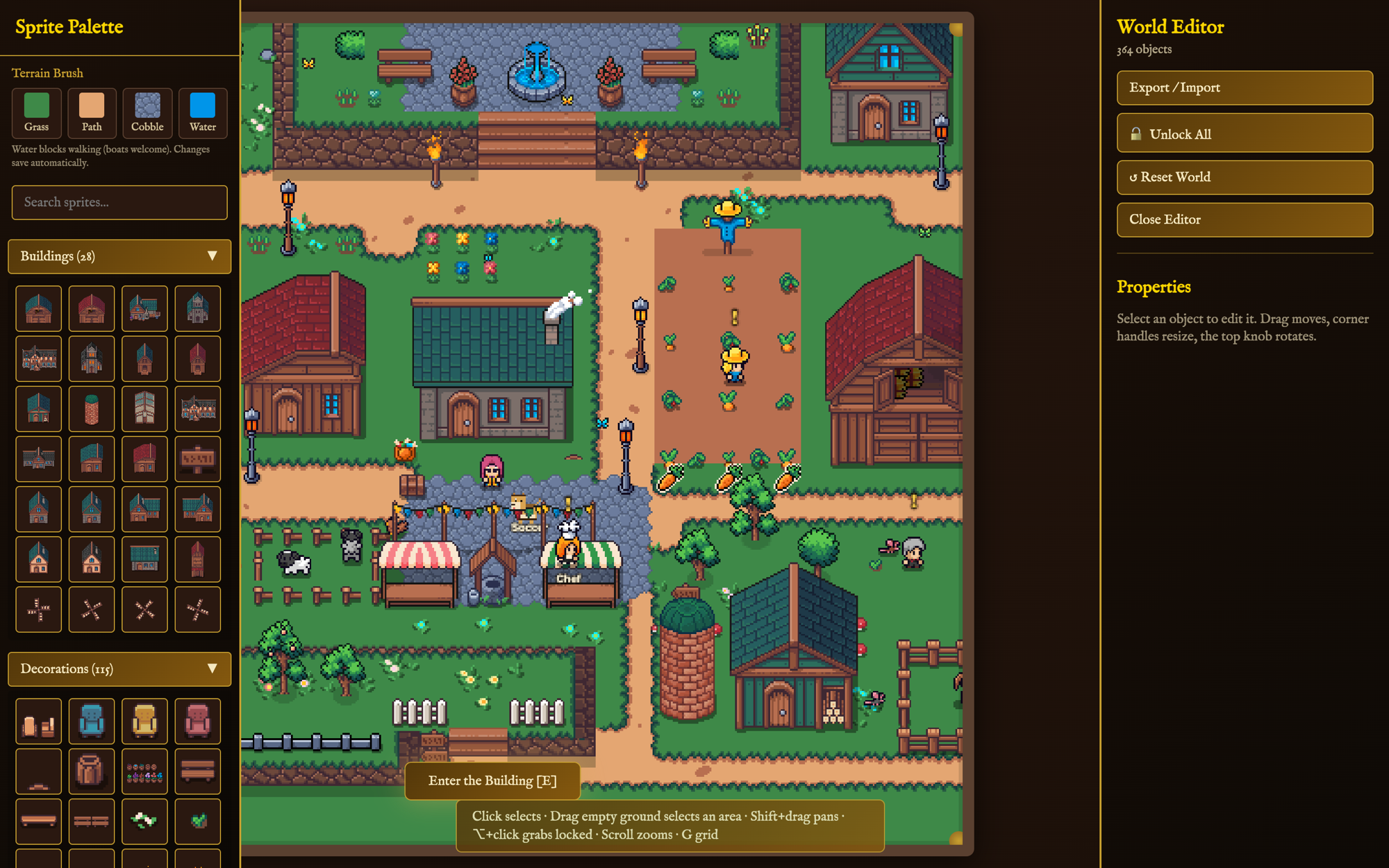
The world is hers to rearrange. Edit Mode opens a palette of every building and decoration and a terrain brush for grass, paths, cobble, and water. Anything on the map can be moved, resized, rotated, or locked in place, and the changes save as she makes them. A Character Manager renames the townsfolk and adds new residents.
Key Features
| Feature | Description |
|---|---|
| Realms | Six areas of life, each a card on the board and a place on the map, plus a Cemetery where finished quests are archived. |
| Chapters | Sub-tasks with their own effort, due date, and notes, ticked off from the quest preview. |
| Three Views | Table, kanban, and calendar for one realm or all of them, with search and drag-and-drop. |
| Bryn Bucks | Five effort tiers that pay $1 to $5, a ledger of every payout, and a way to mark money as spent. |
| Daily Routines | A short checklist that resets each day and earns Homekeeping experience. |
| Repeating Quests | Daily, weekday, weekly, or monthly. Completing one creates the next. |
| Royal Duties | Ongoing workstreams that are prioritized and retired, never completed. A quest can serve one. |
| Life in the Kingdom | Fishing, bug catching, gathering, farming, townsfolk with quests of their own, and skills that level up. |
| World Editor | Place, move, resize, rotate, and lock any object, paint terrain, and export or import the whole world. |
| Keyboard First | Every button shows its key, so the planner works without the mouse. |
| Sync | The kingdom follows her between devices, and quests sync both ways with her Airtable base. |
| Sound and Display | 8-bit music generated in the browser, weather and falling leaves, and an optional CRT look. |
Architecture
Queen's Quest is a React and TypeScript app with a hand-written Canvas 2D game loop. I stayed off a game engine on purpose. An engine would have given me tilemaps and particles, but the Quest Board, the Journal, and the modals are ordinary interface work, and React is much better at that. The world draws to a small 512-pixel-wide canvas that the browser scales up, which keeps the pixel art sharp and the drawing cheap.
React UI + Canvas game loop → localStorage →
Netlify Functions → Netlify Blobs, Airtable, Todoist- •The app is local-first. Everything reads and writes localStorage through one small module, which tells the sync layer when a synced key changes. Without a server it still runs, from the device's own copy.
- •The server is a handful of Netlify Functions in front of a blob store. It keeps a revision number, and each device pushes what it changed and pulls what it missed when the window regains focus.
- •Quests sync both ways with the Airtable base she already used. A quest without chapters is one record, a quest with chapters is one record per chapter, and each payout is linked to that day's summary so the base's totals still add up.
- •The whole site sits behind a single passphrase, checked at the edge before any page loads. The Airtable and Todoist tokens stay on the server, and the build fails if one turns up in the bundle.
- •A nightly job on my home server pulls a read-only copy of the kingdom and keeps a month of them. A restore script writes one back as a new revision.
- •The renderer and the World Editor share one camera, so a click in Edit Mode lands on the same pixel the game drew.
Tech Stack
Credits
The pixel art is the Cute Fantasy RPG asset pack by Kenmi. The quests in these screenshots are samples. Queen's Quest is a private app, so there's no public link.